
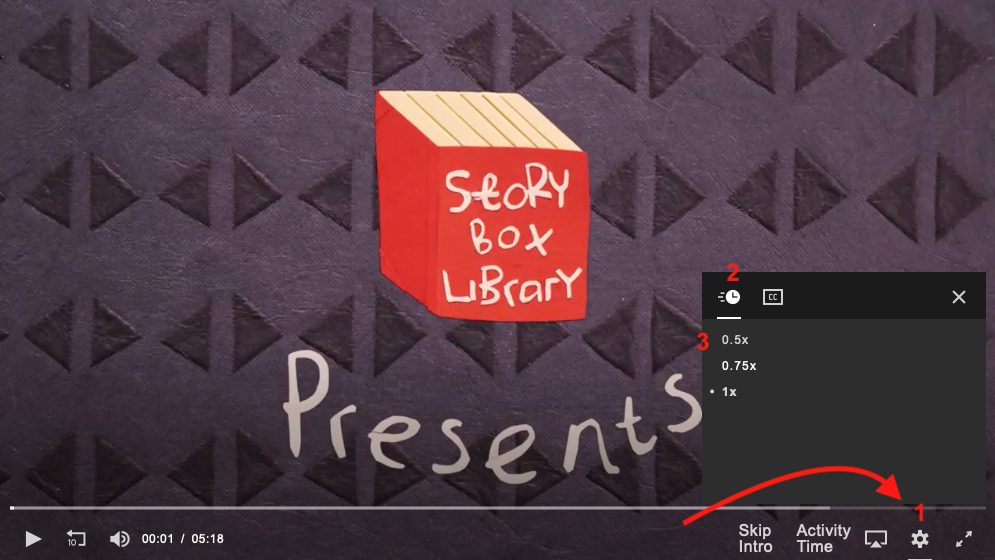
You can watch our stories at their normal speed or slow them down to 75% or 50% speed. To reduce the playback speed:
- Click or tap the 'cog' icon in the video player controls.
- Click or tap the clock icon in the menu.
- Click or tap on the speed you wish the video to play at (0.5, 0.75 or 1 times normal speed).
Note that if you're watching via the StoryBox app, you can slow it down to 0.5 or speed it up to 1.25, 1.50 or 2.0 speed.