
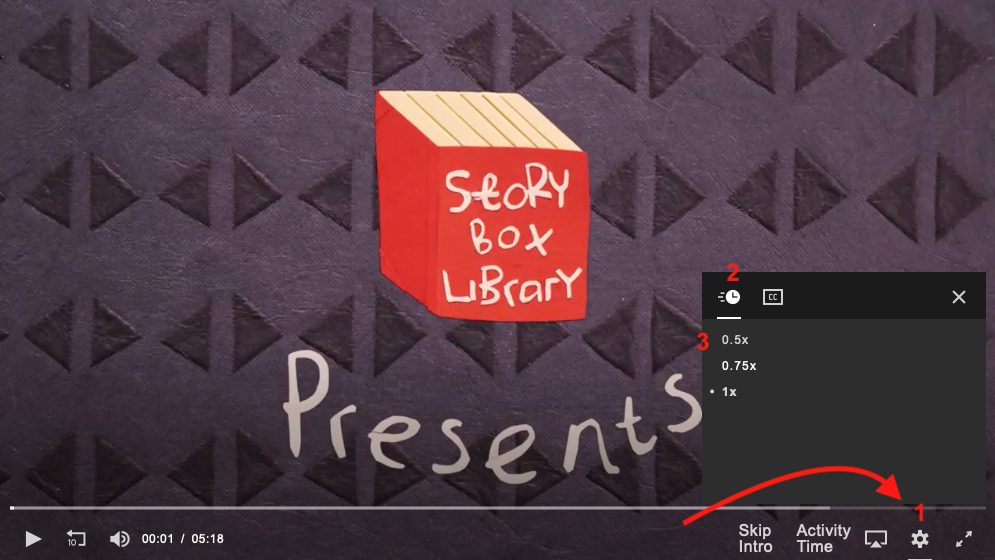
On our website you can watch our stories at their normal speed or slow them down to 75% or 50% speed. To reduce the playback speed:
- Click or tap the 'cog' icon in the video player controls.
- Click or tap the clock icon in the menu.
- Click or tap on the speed you wish the video to play at (0.5x, 0.75x or 1x speed).
In our StoryBox app there are even more options:
-
Tap the 'cog' icon in the top right corner of the video player controls.
-
Tap on Speed.
- Choose from the available options (0.25 increments from 0.25x speed up to 2.00x speed).